
MCP Interface
Adeona PIM and AI agents
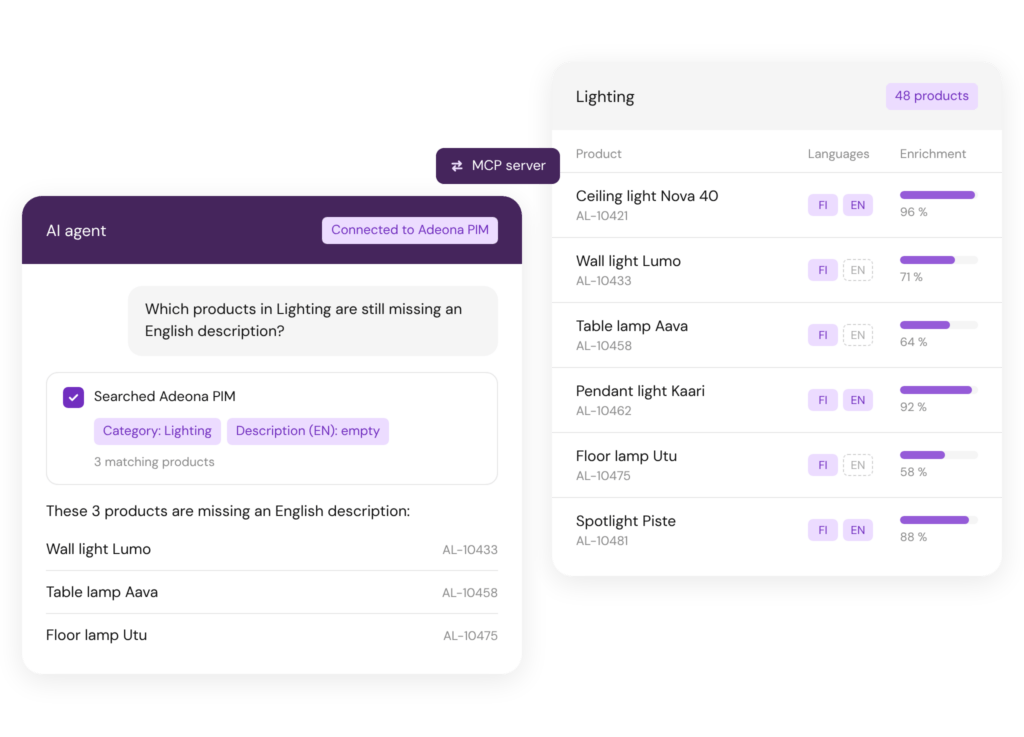
Adeona PIM’s built-in MCP server connects your product data directly to AI tools such as Claude, Microsoft Copilot and ChatGPT. Search, compare and update product information in plain language, with no separate integration project.
The agent works with each user’s own permissions. Changes can be routed for human approval before they go live, so you stay in control.
MCP Interface
MCP connects AI tools directly to Adeona PIM
Model Context Protocol (MCP) is an open standard that gives an AI agent access to the products, images, files and categories in your PIM. The agent also understands your data model, including attributes, languages and statuses. Tell it what you need, and the agent retrieves the information or makes the changes directly in the PIM.
The agent only sees what the user has permission to see in Adeona PIM, and changes can be routed for approval before they go live. Your whole organization can work with the same product data in the AI tool it already uses.
ONBOARDING WITH MCP
Data onboarding via MCP
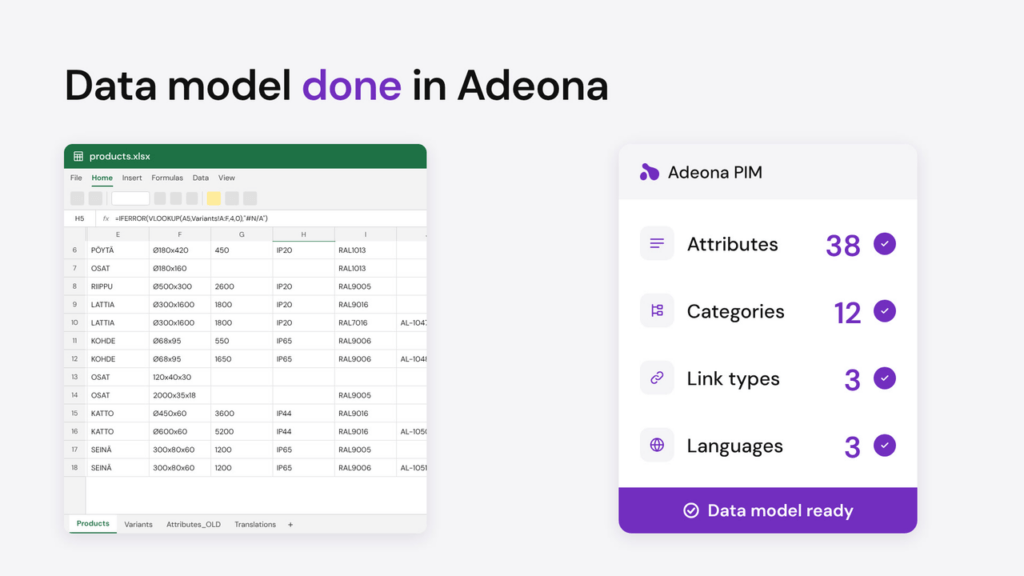
From spreadsheet to ready-made data model with one prompt
Most product data starts life in spreadsheets: dozens of columns, cryptic codes, merged headers and formulas that only one person understands. Give that file to your AI agent and describe what you need. Through MCP, the agent reads the structure and builds it in Adeona PIM, including attributes and their types, the category tree, link types such as variants and accessories, and languages.
What used to take weeks of mapping and setup becomes a starting point you can review in minutes. Your team checks the model, adjusts what’s needed and goes straight to enriching products, with every field in place
Use Cases
Put your product data to work with AI
Data quality monitoring
“Find products missing an image or description and group them by category.” Get an instant summary and chart of your data quality.
Faster product onboarding
“Create products in the PIM from this supplier price list.” New products are in the system within minutes.
Faster quote preparation
“Find products that match this customer’s RFQ and compile them into a table.” Sales prepares quotes faster.
Product comparisons
“Compare the technical attributes of these three products.” Get a side-by-side comparison with a single question.
Controlled bulk changes
“Standardize the product names in this category and suggest the changes.” Changes go to review before they reach production.
Data model extension
“Add a new attribute with a picklist to these products.” Extend your data model without admin tools.

See Adeona
with your own data.
Book a demo and see Adeona in action with your own products. Walk away with a clear understanding of fit, timeline, and what implementation looks like.